Making a successful YouTube channel starts with making a YouTube channel. Here’s how to build your account.
Create a Youtube channel
- Sign in to YouTube on a computer or the mobile site.
Follow these instructions to create a youtube channel
If you use Gmail or other google services you probably already have a Google account.so skip ahead to the next step.Then sign in to youtube application or youtube site.
2. Create a Youtube Channel
Please click the profile picture shows in the top right corner of the page and click the create channel option.
3. Customize your YouTube channel
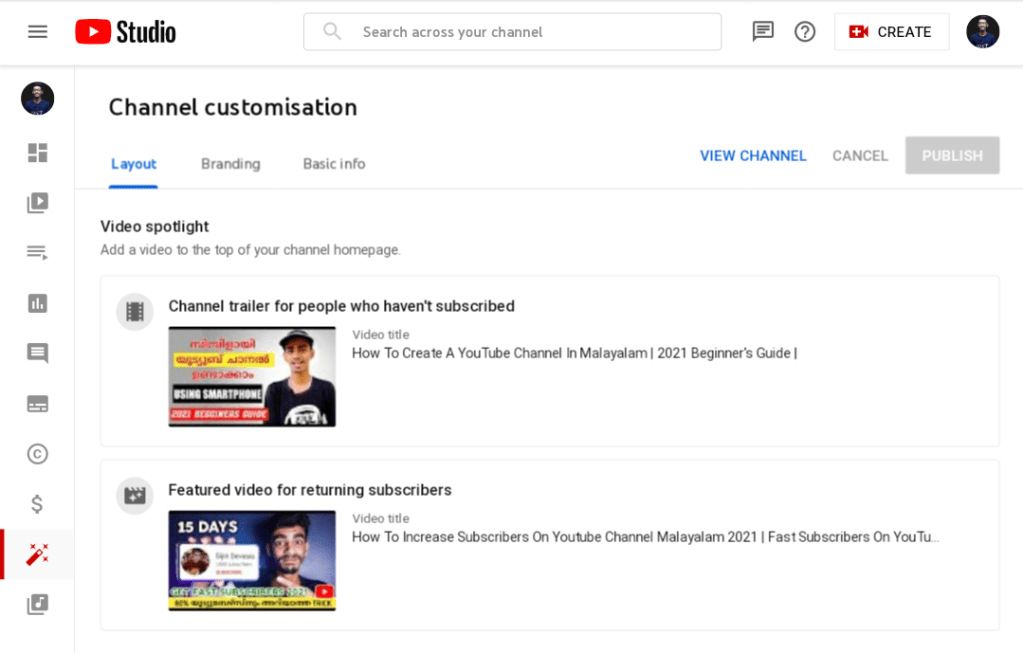
In your channel dashboard, click Customize channel. Go through the three tabs — Layout, Branding and Basic Info — to enter information that will help optimize your channel for audience discovery.
When filling out this information, use descriptive keywords that will help your account appear in searches.
Keywords can include your channel’s topics, your industry, questions your content can answer or products featured.
Under Branding, you’ll have the opportunity to upload your channel art and icons to give your channel a unique look. One that, ideally, aligns with your overall brand and visually connects this YouTube account with your other social media platforms and web presence.
Thats all ! Your Youtube Channel Is Ready !
 Techiefides